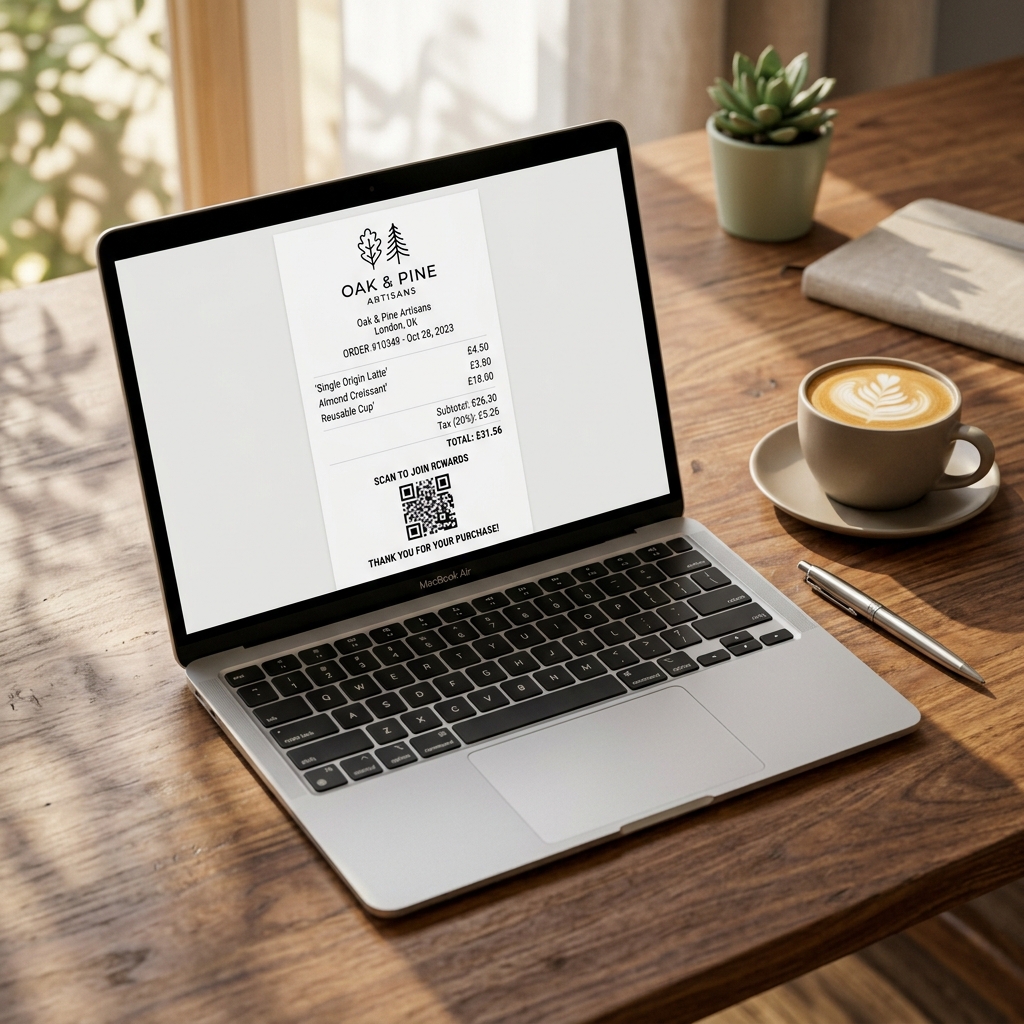
Every single touchpoint with your customers is a critical marketing opportunity. While many business owners treat receipts as a basic administrative requirement, high-performing brands recognize them as a highly effective tool for driving brand loyalty, showing professional dedication, and encouraging repeat business.
A customized, beautifully branded receipt does not just confirm payment—it builds trust and keeps your brand top of mind when customers review their monthly expenses. However, custom styling must always be balanced with strict tax compliance standards.
In this guide, we outline the **7 best practices for customizing business receipts** to maximize professional branding while remaining 100% compliant with international bookkeeping standards.
1. Embed a High-Resolution Brand Logo
Your logo is the visual cornerstone of your identity. A receipt with a crisp, properly scaled logo instantly looks ten times more professional than a generic, plain text printout. When customizing receipts online, make sure to:
- Use transparent PNG background files to prevent ugly white block borders.
- Ensure the logo file is optimized (ideally under 150KB) to ensure rapid digital page loading and small PDF export file sizes.
- Center or left-align the logo at the absolute top of the layout for natural hierarchy.
2. Maintain Strict Visual Contrast & Clean Typography
Legibility is the single most important rule of financial documentation. While matching receipt accent colors to your official brand colors is a great practice, always protect visual clarity:
- Use premium, clean geometric sans-serif fonts (like *Inter*, *Outfit*, or *Roboto*) which render perfectly on all devices and screen sizes.
- Protect black-on-white text contrast for item lists, ensuring tax auditors can scan parameters effortlessly.
- Utilize professional accent colors (like navy blue, slate violet, or deep emerald) primarily for header blocks, borders, or total balance highlights.
3. Strategically Position Legal Tax Identifiers
Depending on your legal location, tax authorities require specific company identification details to approve expense deductions. Ensure these are easily readable:
- United States: Your corporate Employer Identification Number (EIN) or official business address.
- United Kingdom & Europe: Your registered VAT or corporate registration numbers.
- Australia & Canada: Your dynamic GST or ABN registration numbers.
4. Streamline Your Itemized Table Structure
Cluttered tables lead to billing disputes and client confusion. Format item breakdowns with perfect balance:
- Include four distinct columns: **Item Name / Description**, **Quantity**, **Unit Price**, and **Total Price**.
- Keep descriptions concise but descriptive (e.g. *"Premium Web Hosting Plan - Annual"* instead of just *"Hosting"*).
- Align numeric costs to the right of the table for rapid visual scanning.
5. Add Dynamic Payment Method Breakdowns
Customers often need to reference how they funded a transaction for their personal credit card reconciliation. Always detail payment methods cleanly:
- Specify the exact channel (Cash, Debit Card, Visa, Mastercard, AMEX, Apple Pay, PayPal, Bank Transfer).
- If a digital transaction is processed, append the last 4 digits of the card or transaction ID (e.g. *Visa ending in 4321*) to build additional security trust.
6. Include a Personalized "Thank You" & Call to Action (CTA)
The footer of your receipt is prime real estate that is often completely wasted. Turn this space into a customer engagement vehicle:
- Add a friendly, warm message: *"Thank you for supporting our small business! We are thrilled to work with you."*
- Include a clear call to action (CTA), such as a feedback survey link, a special discount code for their next purchase, or links to your official social channels.
- Add a clear Customer Support email or phone number for prompt resolution of any billing queries.
7. Use a Premium Online Receipt Generator
Trying to manually customize templates inside clunky word processors or spreadsheets leads to misaligned tables, bad mobile scaling, and formatting errors. Using a dedicated platform like Receipt Maker guarantees that your business outputs look perfect every time. Our advanced tool features built-in template previews, dynamic tax calculations, and easy logo uploads for a modern, fully-customized result in under 60 seconds.
Frequently Asked Questions
Can I customize my receipt colors to match my brand?
Yes. **Receipt Maker** allows you to customize the accent colors, upload custom corporate logos, and format headers perfectly to match your official brand assets completely for free.
Is it legal to include promotional discount codes on a business receipt?
Yes. It is completely legal and a highly recommended marketing strategy to include coupon codes, customer feedback surveys, or referral links in the footer of your receipts.
What file formats should I use for custom receipts?
Always export your customized receipts as compressed, optimized **PDF files** for easy email attachment and high-fidelity print support, or **PNG image files** for rapid mobile sharing via messaging apps.